
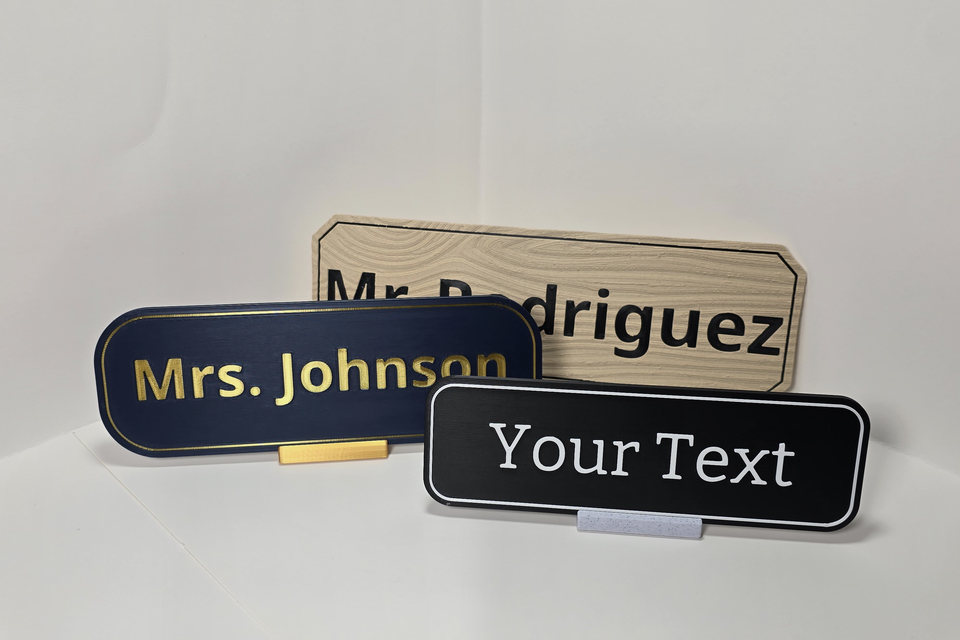
Compare the three ordering paths
If Actually Useful Prints already offers the message you need, choose a Standard Sign. If a prepared layout works but the wording needs to be yours, choose a Custom Sign Template. Use Specialty & Bulk when the request needs a different layout, a logo, a coordinated set, or individual review.
The difference is how the order starts and what you can change. Standard Signs are made to order with fixed wording. Custom Sign Templates let you personalize supported parts of a prepared layout. Specialty & Bulk starts with an inquiry so AUP can confirm whether a different request fits its current process.
| What you need | Start here | What you can change | How the order starts |
|---|---|---|---|
| A message already offered by AUP | Standard Sign | The available size, material, colors, mounting preparation, and other choices shown for that product. The wording and layout remain fixed. | Configure the sign on its product page, review the selection, and add it to the cart. |
| Your wording in an available layout | Custom Sign Template | The text and options supported by that template. | Choose a template, personalize it in the designer, review the live preview, and add the design to the cart. |
| A different layout, logo, coordinated set, or quantity that needs a quote | Specialty & Bulk | The choices confirmed during project review. | Send an inquiry so AUP can review fit, ask questions, and provide an initial quote and turnaround estimate. |
Choose a Standard Sign when the message already fits
A Standard Sign is the direct route for fixed messages such as Please Knock, Meeting in Progress, or Employees Only.
The wording and layout stay fixed. Depending on the product, you can choose from the available dimensions, materials, panel and text colors, text styles, and mounting preparations. Those choices appear on the product page; Standard Signs do not enter a sign designer.
- The catalog contains the exact message you need.
- You want to choose the sign's appearance without rewriting it.
- You want to configure and purchase the sign directly from its product page.
If the message is close but not correct, check the Custom Sign Templates instead of expecting the Standard Sign wording to change later.
Choose a Custom Sign Template when the layout fits but the wording is yours
A Custom Sign Template starts with a prepared layout. Each template defines the text fields, dimensions, appearance, mounting, and display choices it supports.
For example, the One-Line Teacher & Staff Nameplate provides a one-name layout, while the Custom Destination + Arrow Sign lets you enter one destination and choose an arrow direction. The designer gives each product the controls that belong to that layout rather than opening an unrestricted blank canvas.
- Choose the layout that matches the job.
- Review the available sizes and editable choices on the product page.
- Open the designer and enter the supported wording.
- Check the live preview for spelling, names, arrow direction, colors, and layout.
- Review the completed selection and add it to the cart.
A live preview shows the choices currently entered on the website. It is different from a project proof developed through Specialty & Bulk. After checkout, AUP reviews customized orders and will email if a question or revision is needed before production.
Use a template when an available layout already has the fields you need, the wording changes from one sign to another, and you want to preview the personalized layout before checkout. If the template does not provide the wording field, structure, or visual element you need, use Specialty & Bulk.
Choose Specialty & Bulk when the project needs individual review
Specialty & Bulk can start with one custom sign, a coordinated set, or a quantity of Standard Signs that would benefit from project review and a quote.
- A layout that is not in the catalog.
- A logo or existing style that should inform the design.
- A coordinated set with changing room names, numbering, or wording.
- An event, booth, or directional set.
- A batch of Standard Signs that should be reviewed together.
You do not need production-ready artwork to begin. A presentation slide, drawing, sketch, screenshot, marked-up photograph, logo, or written description can communicate the idea.
An inquiry starts a conversation; it does not place an order or authorize production. AUP reviews whether the requested plastic sign, quantity, timing, and production needs fit its current capabilities, then responds with questions, an initial quote, and a project-specific turnaround estimate. If the project moves forward, AUP prepares a digital proof for approval before production.
Specialty & Bulk does not make every size, material, or format available. The project inquiry page explains the current size and format boundaries, and AUP confirms feasibility for the specific request.
A quick way to decide
- Does the Standard Sign catalog contain the exact message? Configure that product.
- Does a Custom Sign Template provide the right layout and editable fields? Personalize that template.
- Does the request need a different design, logo, coordinated set, or project quote? Start a Specialty & Bulk inquiry.
If two routes still appear to fit, contact AUP through Help & Support before ordering. Because personalization affects voluntary return eligibility, review Shipping & Returns before checkout.